Orange V3: A Playful Color Font for Creative Projects
What Exactly is Orange V3?
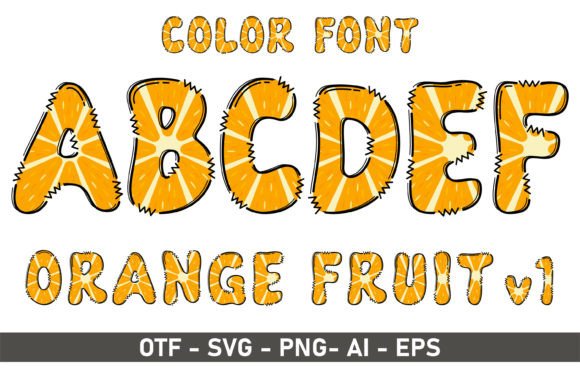
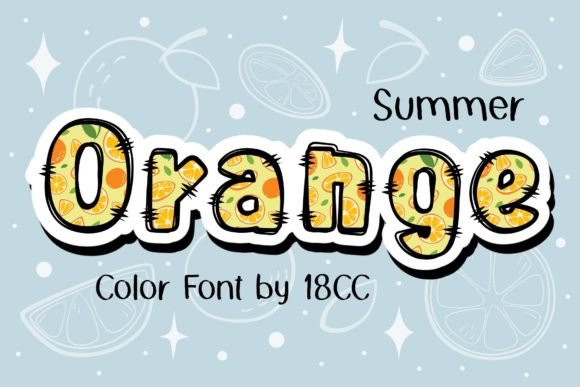
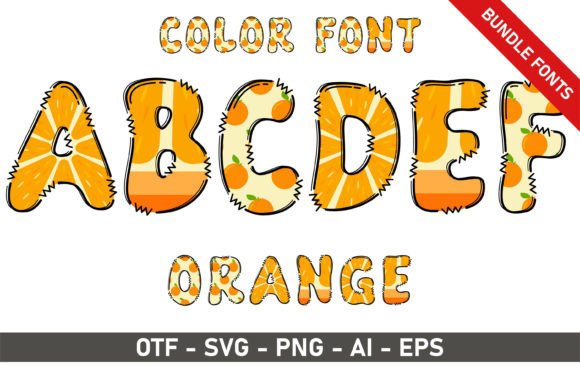
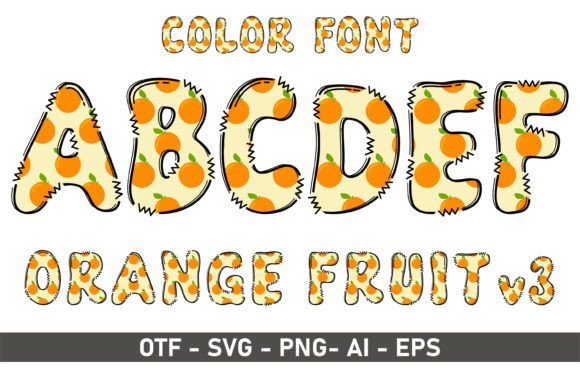
If you’ve been scrolling through creative font libraries looking for something that breaks the mold, Orange V3 likely caught your eye immediately. This isn't your standard, monochrome typeface. It is a premium color font (technically an OpenType-SVG file) that renders in vibrant, high-definition gradients and textures right out of the box. Unlike traditional fonts where you have to manually apply colors letter by letter, Orange V3 arrives ready to impress with its own built-in color palette—typically featuring rich oranges, yellows, and warm tones that mimic realistic brush strokes or digital painting.
The personality of this typeface is undeniably energetic. It walks the line between a handwritten font and a display font, offering a fluid, artistic style that feels hand-crafted. It captures that "just-painted" aesthetic which is incredibly difficult to achieve with standard vector typography. For designers, this means you get the organic feel of hand-lettering with the scalability and ease of a digital font file. It’s designed to be a statement piece, instantly adding a layer of artistic depth to any layout it touches.
The Sweet Spot: Where Orange V3 Truly Shines
Because of its distinct visual weight and colorful nature, Orange V3 is best suited for specific applications where personality is prioritized over dense readability. You wouldn't use this for a legal disclaimer, but it is invaluable for projects that need to grab attention in seconds.
Here are the environments where this typeface excels:
- Publishing and Editorial: As noted in its description, this style is a staple for children’s books. The whimsical, colorful nature of Orange V3 engages young readers who are drawn to bright visuals. It works beautifully for chapter titles or pull quotes in lifestyle magazines.
- Packaging Design: If you are designing packaging for artisanal goods, snacks, or creative supplies, Orange V3 adds a "flavor" that sans serif fonts simply cannot provide. It suggests fun and quality.
- Event Stationery: Think birthday invitations, party banners, and greeting cards. The playful vibe makes it perfect for celebratory contexts.
- Digital Content: For social media graphics, YouTube thumbnails, or blog headers, this font acts as a visual hook. It breaks the scroll pattern because it looks different from the standard corporate typography seen online.
Design Strategy: Pairing and Professional Application
Using a premium font like Orange V3 effectively requires a bit of restraint. Because it is a display font with high visual complexity, it should rarely be used for body copy. Its strength lies in headlines and short bursts of text.
Mastering Font Pairing
To create a balanced visual hierarchy, you need to pair Orange V3 with something quiet and legible. A clean sans serif font is usually the best counterpoint. The geometric simplicity of a sans serif grounds the artistic energy of Orange V3. For example, using Orange V3 for a main headline and a font like Montserrat or Open Sans for the subtext creates a professional yet fun contrast. Avoid pairing it with other script fonts or overly decorative serifs, as this will create visual clutter and confuse the reader’s eye.
Technical Realities and Compatibility
Before you integrate Orange V3 into your brand identity or next big project, you must understand the technical requirements of color fonts. This product is an OpenType-SVG font. This format encapsulates high-resolution images inside the font file, allowing for those rich textures and gradients.
However, compatibility is key:
- Compatible Software: You can use Orange V3 in Adobe Photoshop, Adobe Illustrator, Inkscape, and Silhouette Studio (Designer Edition or higher). These programs support the rendering of SVG data.
- The Cricut Limitation: It is vital to note that standard OTF and TTF versions of color fonts are often not compatible with Cricut machines. Cricut Design Space has historically struggled with complex SVG fonts. If you are a crafter using a Cricut, you may face limitations in cutting these specific designs, though you can sometimes use the font for "Print then Cut" projects if the software supports it.
For the best results, always consult the Ultimate Font Guide provided by the creator. This ensures you aren't frustrated by software limitations later in the design process.
Conclusion: Elevating Your Creative Assets
Orange V3 is more than just a typeface; it is a design asset that brings instant warmth and character. Whether you are a small business owner looking to make your logo design pop, or a publisher aiming to delight young readers, this font offers a modern, artistic solution. By respecting its technical needs and pairing it wisely, you can leverage Orange V3 to create memorable, high-impact designs that stand out in a crowded marketplace.